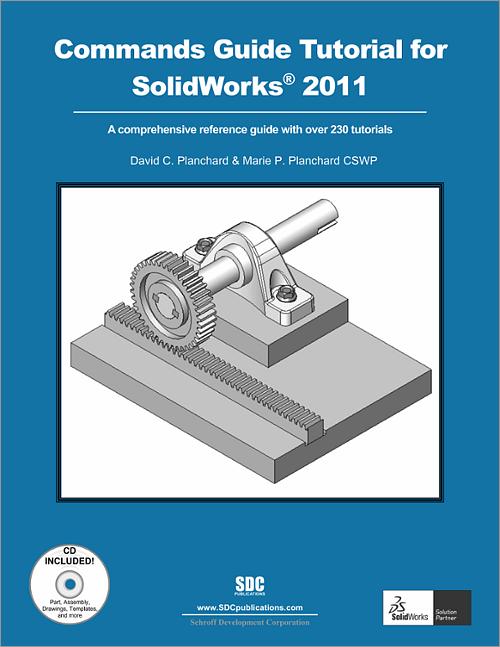

Commands Guide Tutorial for SolidWorks 2011
A Comprehensive Reference Guide with over 240 tutorials
- Description
- Contents
- Instructor Resources
- Details
Description
Key Features
- A Comprehensive reference book for SolidWorks 2011
- Contains 240 plus standalone tutorials
- Starts with a basic overview of SolidWorks 2011 and it's new features
- Comes with a CD containing models of each tutorial's initial and final state
In Detail
The Commands Guide Tutorial for SolidWorks 2011 is a comprehensive reference book written to assist the beginner to intermediate user of SolidWorks 2011. SolidWorks is an immense software package, and no one book can cover all topics for all users. The book provides a centralized reference location to address many of the tools, features and techniques of SolidWorks 2011.
This book covers the following:
- System and Document properties
- FeatureManagers
- PropertyManagers
- ConfigurationManagers
- RenderManagers
- 2D and 3D Sketch tools
- Sketch entities
- 3D Feature tools
- Motion Study
- Sheet Metal
- Motion Study
- Sustainability
- Sustainability Xpress
- FlowXpress
- PhotoView 360
- Pack and Go
- Intelligent Modeling techniques and more.
Chapter 1 provides a basic overview of the concepts and terminology used throughout this book using SolidWorks 2011 software. If you are completely new to SolidWorks, you should read Chapter 1 in detail and complete Tutorial 1, Tutorial 2, and Tutorial 3 in the SolidWorks Tutorials.
If you are familiar with an earlier release of SolidWorks, you might still want to skim Chapter1 to get acquainted with some of the new commands, menus, and features that you haven’t used; or you can simply jump to any section in any chapter.
Each chapter (18 total) provides detailed PropertyManager information on key topics with individual stand alone short tutorials to reinforce and demonstrate the functionality and ease of the SolidWorks tool or feature. All models for the 240 plus tutorials are provided on the enclosed book CD with their solution (initial and final). Learn by doing, not just reading!
Formulate the skills to create, modify and edit sketches and solid features. You will also learn the techniques to reuse features, parts and assemblies through symmetry, patterns, copied components, design tables, configurations and more.
The book is designed to complement the Online Tutorials and Online Help contained in SolidWorks 2011. The goal is to illustrate how multiple design situations and systematic steps combine to produce successful designs.
Table of Contents
- Introduction
- Quick Start
- SolidWorks System Options
- SolidWorks Document Properties
- Design Intent, Sketching and Sketch Entities
- Sketch Tools, Geometric Relations, and Dimensions/Relations Tools
- Extruded Boss/Base, Extruded Cut, Fillet and Cosmetic Features
- Revolved, Simple Hole, Hole Wizard and Dome Features
- Shell, Draft, and Rib Features
- Pattern, Mirror Features and Coordinate System PropertyManager
- Sweep, Loft, Wrap and Flex Features
- Bottom-Up Assembly Modeling and more
- Top-Down Assembly Modeling and more
- 2D Drawings and eDrawings
- Sheet Metal
- PhotoView 360 and Measure tool
- Sharing SolidWorks Documents and Design Library
- SimulationXpress, Sustainability/SustainabilityXpress and FloXpress
- Intelligent Modeling Techniques
Appendix
Index
Instructor Resources
The following downloadable resources require that you are registered, logged in and have been authenticated as an instructor.
The authors have created additional resources for instructors to use when using this book in a classroom setting. It contains:
- Sample exams
- Project files
- PowerPoint presentations
Requestable Resources
These resources require shipping and are included when you request an examination copy of this book. You may also request just these resources by contacting us.
- Instructor's DVD
- Project files, PowerPoint presentations and Sample exams
Product Details
| Publisher | SDC Publications |
| Authors | David C. Planchard CSWP |
| Published | December 10, 2010 |
| User Level | All Users |
| Pages | 824 |
| Binding | Paperback |
| Printing | Black and White |
| Print ISBN | 978-1-58503-621-9 |
| Print ISBN 10 | 1585036218 |