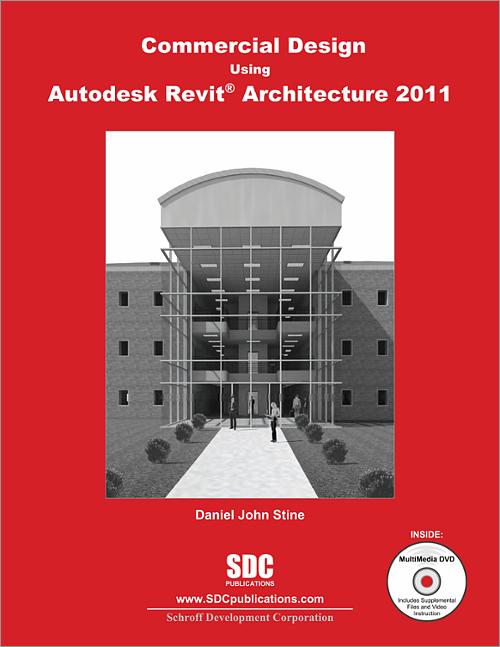

Commercial Design Using Autodesk Revit Architecture 2011
- Description
- Contents
- Instructor Resources
- Details
Description
Key Features
- Starts at an introductory level
- Project based tutorials design an office building from start to finish
- Video instruction is included with each book
- Bonus material covers Revit content creation, a Roof Study Workbook, an introduction to the Autodesk Revit Architecture Certification exam and much more!
In Detail
Commercial Design Using Revit Architecture 2011 is designed for the architectural student using Revit Architecture 2011. The intent is to provide the student with a well-rounded knowledge of tools and techniques for use in both school and industry. This text takes a project based approach to learning Revit Architecture in which the student develops a three story office building. Each book comes with a DVD containing numerous video presentations of the written material. General building codes and industry standard conventions are covered in a way that is applicable to the current exercise.
The first two chapters are intended to get the reader familiar with the user interface and many of the common menus and tools of Revit Architecture 2011. A small office is created in chapter two to show just how easy it is to get started using Revit Architecture. By the end of chapter two the student will be excited and prepared to take on a much larger project.
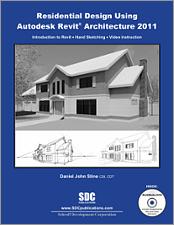
Throughout the rest of the book the student develops a three story office building. The drawings start with the floor plans and develop all the way to photo-realistic renderings like the one on the cover of this book. In these chapters the many tools and features of Revit Architecture 2011 are covered in greater detail.
About the Videos
The videos contained on the included DVD make it easy to see the menu selections and will make learning Revit Architecture straightforward and simple. At the start of each chapter the reader is prompted to watch a video that previews the topics that will be covered in the proceeding chapter. This allows the reader to be familiar with the menu selections and techniques before they begin the tutorial. Readers will feel more confident in what they are doing and have a better understanding of the desired outcome of each lesson by watching these videos.
Table of Contents
- Getting Started with Revit Architecture 2011
- Quick Start: Small Office
- Floor Plan (First Floor)
- Floor Plans (Second & Third Floors)
- Roof
- Floor Systems & Reflected Ceiling Plans
- Interior & Exterior Elevations
- Sections
- Interior Design
- Schedules
- Site and Rendering
- Construction Documents Set
- Introduction to Revit Content Creation
Appendix A: Autodesk Revit Architecture Certification Exam
Index
Instructor Resources
The following downloadable resources require that you are registered, logged in and have been authenticated as an instructor.
Requestable Resources
These resources require shipping and are included when you request an examination copy of this book. You may also request just these resources by contacting us.
- Instrctor's CD
- lecture notes, additional assignments, answer key
Product Details
| Publisher | SDC Publications |
| Authors | Daniel John Stine AIA, IES, CSI, CDT, Well AP |
| Media Types | Print Book, eBook, Videos |
| Primary Languages | English |
| Published | June 10, 2010 |
| User Level | Beginner |
| Pages | 424 |
| Binding | Paperback |
| Printing | Black and White |
| Print ISBN | 978-1-58503-561-8 |
| Print ISBN 10 | 1585035610 |