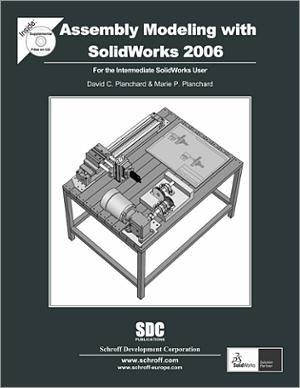
| |
Please Note: The Assembly Modeling with
SolidWorks textbook is updated every other year. The next
update will be for SolidWorks 2008. Assembly Modeling with
SolidWorks 2006 can be successfully used with SolidWorks 2007.
|
Student Design Kit
A 150-day term license for
SolidWorks
Assembly Modeling with
SolidWorks 2006 will be bundled with the SolidWorks 2007 Student Design Kit. The SolidWorks Student Design Kit is
a 150-day term-of-use license, and is compatible with the
SolidWorks Education Edition 2007-2008.
Note: This software is
available only to college/university bookstores and schools
located in the United States. Individual Sales to students are
not permitted. |
Assembly Modeling with SolidWorks is written to assist the intermediate SolidWorks user who desires to enhance their skill sets in assembly modeling. The book provides a solid foundation in assembly modeling using competency-based projects. In step-by-step instructions, you perform the following tasks:
- Explore top-level assemblies that contain hundreds of features, parts, and sub-assemblies.
- Design, create, and modify assemblies, parts, and drawings based on geometric and functional requirements.
- Develop assemblies from a Bottom-up design modeling approach utilizing components from global suppliers.
- Develop a Top-down design modeling approach incorporating a Layout sketch and in-context features.
- Incorporate Configurations, Design tables, Bill of Materials, and Custom properties to represent multiple design options in the part, assembly and drawing.
- Understand external references and features developed In-Context of an assembly; edit and redefine references, features, and components.
- Exercise Shortcut keys, Customize toolbars, and Pop-up menus to build modeling speed.
- Maximize geometric relationships in the part sketch, build symmetry in the part, and reuse components in the assembly.
- Manage files through SolidWorks Explorer.
Each project begins with the desired outcomes and usage competencies. You know the templates, components, drawing and tables you need to create. You review a complete list of SolidWorks tools and commands up front.
Explore assembly modeling techniques through a series of design situations, industry scenarios, projects and objectives. The book compliments and enhances the SolidWorks Reference Guide and SolidWorks Tutorials. Although over 150 SolidWorks tools and commands are utilized in Assembly Modeling with SolidWorks, the book is not a commands guide. The book is a self-paced tutorial in a realistic design setting. Complex models expose you to large assembly modeling techniques. You focus on the design process while learning the commands relative to assemblies.
To download the text of chapter 3 (in Adobe Acrobat PDF format), click on the SampleChapters button
below:


Instructor Resources: Instructor's
CD
- Answers to all questions
- Model files
- PowerPoint feature summary presentation with more examples that focus on design intent
Instructors may e-mail resources@schroff.com
to request the instructor's CD for this textbook. CD's will be
sent to instructors by mail.
For a complete table of contents, click here.
| Project
1. |
|
File
Management |
| Project
2. |
|
Assembly
Modeling - Bottom Up Design |
| Project
3. |
|
Top Down
Design - In Context |
| Project
4. |
|
Configurations,
Custom Properties Design Tables and References |
| Project
5. |
|
Assembly Drawing |
| Project
6. |
|
Top Down
Design Modeling Techniques |
555 pages
Bookstores: For suggested educational
retail price, click here.
SolidWorks 2008
ISBN: 978-1-58503-467-3
SolidWorks 2006
ISBN: 978-1-58503-280-8
SolidWorks 2004/2005
ISBN: 978-1-58503-170-2
|
|