Schroff Development Corporation SDC Publications Textbooks for Education
Welcome Catalog Examination Copy


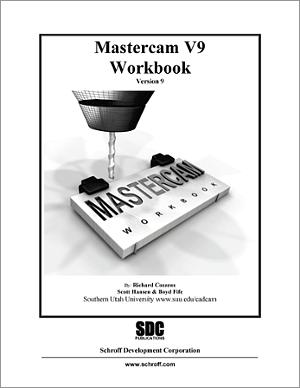
Mastercam Workbook

Version 9

 by Richard Cozzens


  description

This purpose of this workbook is to give new users a basic introduction to Mastercam's functionality and features. Topics covered include creating models using Mastercam, importing geometry from other CAD packages, setting up a job, and creating facing, contouring, pocket, drill/surface, and lathe toolpaths. This book is not intended to be a reference guide.

sample chapter

To download the text of chapter 1 (in Adobe Acrobat PDF format), click on the SampleChapters button below: 


To download files provide by the author which are needed for this text, go to www.schroff1.com/

table of contents

Lesson 1
Introduction to Mastercam
  Starting Mastercam
Standard Menus and Toolbars
Function Keys and Quick Keys
Coordinate System
Creating Simple Geometry 
Creating Circles, Lines, Rectangle; save new geometry; open existing file; customizing Mastercam; getting Help.
Summary
Review Questions
Exercises 
 
Lesson 2
Creating 2D Geometry
  Steps to Creating 2D Geometry  
Open a new file; create a Rectangle; use Screen-Zoom tool; delete geometry; create a round (fillet); create and trim the bottom notch; create a Point, Arc (Circle); create Point Patterns using the Bolt Circle and Grid options; Xform tools; add dimensions; analyze the part.
Summary
Review Questions
Exercises 
 
Lesson 3
Creating 3D Geometry
Steps to Creating 3D Geometry
Change perspective of the part; translate geometry in the Z direction; change the Cplane; create geometry in the side and top Cplanes; translate entities without linking; create Pocket geometry; create new Cplane; view new Cplane with Gview; create circle on new Cplane; translate circle in the Z direction; trim the circle; translate arc to complete angled slot; create 3D dimensions.
Summary
Review Questions
Exercises
 
Lesson 4
Creating Surface Geometry
Steps to Creating Surface Geometry 
Create Planar surface using existing wireframe geometry; trim Planar surface; remove existing boundaries; create a Lofted surface; create a surface using the Sweep tool; one last sweep.
Summary
Review Questions
Exercises
 
Lesson 5
Importing Existing Geometry
Steps to Importing Existing Geometry 
Pull IGES file off internet; open IGES file; translate the imported part to Mastercam Axis System; rotate part 90 degrees; shade surfaces.
Summary
Review Questions
Exercises
 
Lesson 6
Creating a Job Setup
Steps in Creating a Job Setup 
Know and understand all part requirements; review the part and plan the milling process; create the Raw Stock.
Summary
Review Questions
Exercises
 
Lesson 7
Creating Facing Toolpaths
Steps in Creating Facing Toolpaths 
Define the Facing Plane; define the Tooling Parameters; Tooling operations; Modify an existing Toolpath; verify the Facing Toolpath.
Summary
Review Questions
Exercises
 
Lesson 8
Creating Contouring Toolpaths
Steps to Creating the Contour Toolpath 
Check the Facing Toolpath; create the basic Contour Toolpath; modify the Contour Toolpath. 
Summary
Review Questions
Exercises
 
Lesson 9
Creating Pocket Toolpaths
Steps to Creating Pocket Toolpaths 
Create the basic Pocket Toolpath; create the open Pocket Toolpath; create the Island Pocket Toolpath. 
Summary
Review Questions
Exercises
 
Lesson 10
Creating Drill/Surface Toolpaths
Steps to Creating Drill Cycle Toolpaths 
Create the Bolt Circle Drill Toolpaths; create the Grid Drill Toolpath; create the Surface Toolpath; final toolpath - face off excess material; final analysis; post it; the Setup Sheet.
Summary
Review Questions
Exercises
 
Lesson 11
Introduction to Mastercam Lathe
Creating Lathe Toolpaths
Steps to Creating the Hammer Handle using Mastercam Lathe 
Start the Mastercam Lathe; download Hammer Handle.MC9 file; open the Hammer Handle.MC9 file; create Lathe Job Setup; first lathe operation - facing the part; create a Center Drill operation; modify the Job Setup; create a Quick Rough Toolpath; create the Finish Cut; next Roughing Toolpath; create Threads. 
Summary
Review Questions
Exercises

 306 pages 

price and ISBN

Bookstores: For suggested educational retail price, click here.

ISBN:  978-1-58503-089-7


Schroff Development Corporation
P O Box 1334
Mission KS 66222
  Email:   schroff@schroff.com
Tel:   913-262-2664
Fax:  913-722-4936